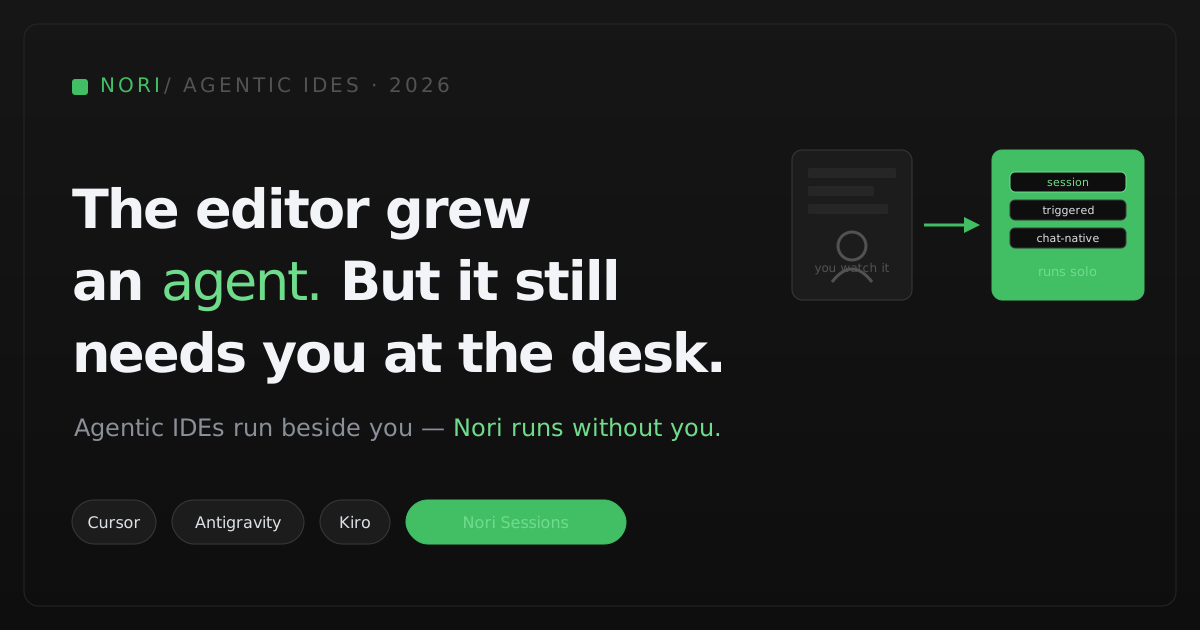
What is the best agentic IDE in 2026?
It depends on how you work. Cursor is still the most polished all-round editor and adds cloud agents and triggered automations from its $30 Premium plan, though it is now SpaceX-owned and its $8 plan is Grok-only. Google Antigravity is free for individuals and runs Gemini and Claude models. Kiro suits spec-driven teams on AWS. Devin Desktop suits teams already paying for Devin. If the work should run with nobody at a desk, on any harness and from Slack or Discord, pair your editor with a cloud runtime such as Nori Sessions.
What an agentic IDE is
An agentic IDE is a code editor with a built-in autonomous agent. You give it a goal; the agent plans the change, edits files across the repository, runs commands and tests, reads the errors, and iterates while you watch and approve. It is for developers who want to stay in the inner loop and supervise the work as it happens. Most agentic IDEs are built on the open-source VS Code editor, and by October 2026 most also offer a cloud or scheduled mode for work that continues after you close the laptop.
Cursor: the polished incumbent, now owned by SpaceX
Cursor remains the reference agentic editor: Tab completion, an Agent that edits across a project, and cloud agents that run in isolated VMs. Its automations run cloud agents in the background from cron schedules, GitHub, GitLab, or Bitbucket events, Slack messages, Linear, PagerDuty, Sentry, or a generic webhook (Cursor automations). SpaceX’s acquisition of Cursor was reported closed on August 14, 2026 (The Next Web). As of October 2026, plans are Free, Plus at $8 (Grok models only), Premium at $30, Super at $100, Ultra at $200, Teams from $30 per user, and Enterprise; cloud agents and automations start at Premium, and third-party models are billed at API list price (Cursor pricing). For a detailed comparison, see Nori vs Cursor cloud agents.
Google Antigravity: free for individuals, now with automations
Google Antigravity launched in November 2025 alongside Gemini 3 (Google announcement). Antigravity 2.0, shown at Google I/O in May 2026, made it a standalone desktop app with subagents and scheduled tasks, plus the agy CLI (Google I/O 2026). It also ships extensions for VS Code, Visual Studio, JetBrains, Zed, and Xcode, and its models include Gemini, Claude Sonnet and Opus, and GPT-OSS 120B (Antigravity overview). In October 2026 scheduled tasks were renamed Automations and gained a per-automation model choice; they run in the app and CLI, and we found no documented webhook or Slack triggers (Antigravity changelog). As of October 2026, individuals pay $0, Google AI Pro and Ultra subscribers get higher limits, and businesses buy through Google Cloud from $30 per seat per month or pay as they go (Antigravity pricing).
Kiro: spec-driven, with a web agent
Kiro, from AWS, turns a prompt into a structured spec (requirements, design, and tasks) before it writes code, and uses hooks and steering files for project context (Kiro specs). One plan now covers the IDE, the CLI, and Kiro Web, a browser agent at app.kiro.dev that works in sandboxes on GitHub or GitLab repositories, opens pull requests without merging them, and runs cron automations; Kiro Web is on Pro tiers and above and runs in us-east-1 (Kiro Web). As of October 2026, per-user monthly plans are Free (50 credits), Pro $20, Pro+ $40, Pro Max $100, Power $200, and Enterprise, with overage at $0.04 per credit (Kiro pricing).
Devin Desktop: Windsurf, renamed, with ACP
Devin Desktop is the editor formerly called Windsurf, renamed by Cognition on June 2, 2026 with pricing unchanged. Its main view is an Agent Command Center, a Kanban board over local and cloud agents, and Devin Local replaced the old Cascade agent; Desktop can run local agents without a Devin account (Devin Desktop FAQ). Through the Agent Client Protocol it also runs Codex CLI, Claude Agent, OpenCode, Junie, and Gemini CLI on Pro, Max, and Teams, with the third-party provider billing you directly (Devin ACP). As of October 2026, Devin plans are Free, Pro $20 a month, Max $200 a month, and Teams from $80 a month with $40 full seats that include Desktop (Devin billing). Cloud Devin adds Slack, schedules, and webhooks (Devin automations); see Nori vs Devin.
Also worth a look
- JetBrains Air is an ACP-based environment for running Codex, Claude Agent, Gemini CLI, and Junie side by side, in public preview since March 2026 (JetBrains).
- Trae, ByteDance’s IDE with the SOLO autonomous mode, reorganized its products in 2026. We could not confirm current plans or prices on its own site, so it is left out of the table.
| Product | Surfaces | Scheduled or triggered runs | Chat control | Model and agent choice | Entry paid plan |
|---|---|---|---|---|---|
| Cursor | Desktop, cloud agents | ✓ cron + events + webhook | ✓ Slack | Grok on Plus; others at API price | Plus $8; Premium $30 |
| Google Antigravity | Desktop app, CLI, IDE extensions | Automations (schedule) | ✗ none found | Gemini, Claude, GPT-OSS | Free; business from $30/seat |
| Kiro | IDE, CLI, Kiro Web | Cron automations (Web) | ✗ none found | Kiro credits | Pro $20/user |
| Devin Desktop | Desktop + Devin cloud | ✓ via cloud Devin | ✓ via cloud Devin | Devin plus ACP agents | Pro $20 |
| Nori Sessions (runtime, not an IDE) | Cloud sessions: Slack, Discord, web, CLI | ✓ cron + webhook | ✓ Slack + Discord | Any harness; your own subscription or keys | Developer $99/mo |
Publicly documented capabilities and list prices as of October 2026. Usage beyond included credits is extra. See vendor sources below.
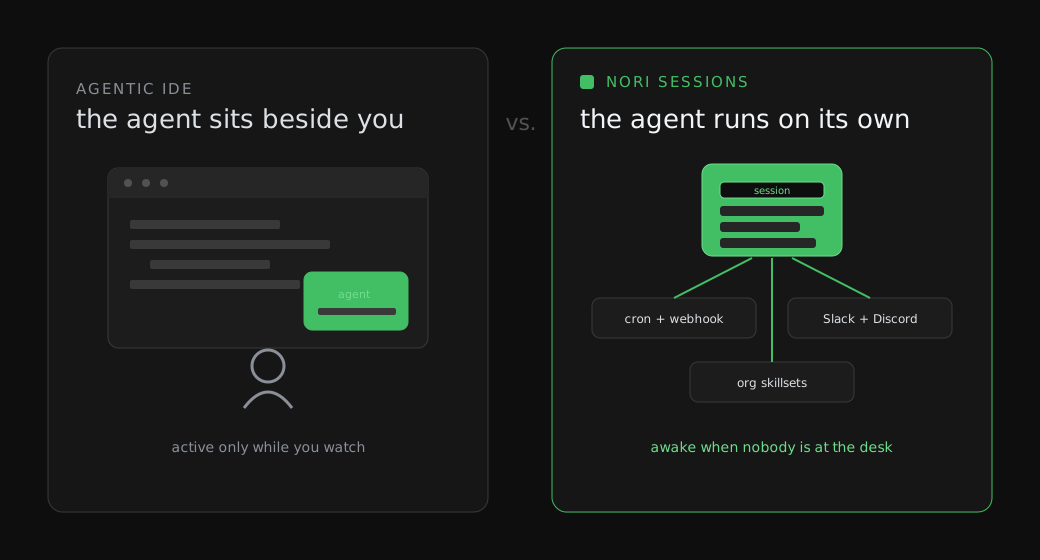
The real difference: who has to be there
By October 2026 the gap between editors and cloud agents has narrowed. Cursor triggers cloud agents from Slack, webhooks, and incident tools; Antigravity and Kiro run scheduled automations; Devin Desktop hands work to cloud Devin. What still differs is lock-in. Each IDE’s cloud mode runs that vendor’s agent, bills through that vendor’s credits or API prices, and lives in that vendor’s cloud. That is the right trade if you are committed to one editor. It is the wrong one if your team uses several agents, or wants its existing Claude or ChatGPT subscriptions to pay for the work.
How to choose an agentic development tool
- Is a person at the keyboard? For interactive work, any of these IDEs is a good choice; pick the one your developers like.
- Which models do you need? Cursor’s cheapest plan is Grok-only; Antigravity mixes Gemini and Claude; Devin Desktop and JetBrains Air run third-party agents over ACP.
- How should unattended work start? Check for schedules, webhooks, and chat triggers. Cursor has the broadest set among the IDEs.
- Where does the bill land? Credits, API list prices, and seats behave differently at scale. Price a busy month.
- Do you want to change agents later? If yes, keep the runtime separate from the editor.
Where Nori Sessions fits
Nori Sessions is not an editor. It is a cloud runtime for coding agents that pairs with whatever IDE your developers already use:
- Any harness. Claude Code, Codex, Gemini CLI, Cursor, OpenCode, Droid, Amp, Goose, or any ACP agent.
- Your own model access. Bring your Claude or ChatGPT subscription, API keys, or an LLM gateway. Nori never charges for tokens.
- Slack, Discord, web, and CLI. Start and steer sessions from the team’s conversation.
- Cron and webhook automations. Nightly maintenance and alert-driven fixes start on their own.
- Opinionated defaults. Workflow skills, org skillsets, and memories load into every fresh session.
As of October 2026: a free 30-day trial (5 runtimes, no card), Developer at $99 a month, Team at $250 a month, and custom Enterprise with your own compute, identity provider, and LLM gateway. If your team is happy on one IDE vendor’s agent, that vendor’s cloud mode may be enough; see the cloud coding agents comparison.
Subscribe to the newsletter
Weekly updates and long-form essays from the Nori team on AI agents and the agent ecosystem.
The bottom line
For the inner loop, pick the editor your developers prefer: Cursor for polish and the broadest triggers, Antigravity for a free Gemini-and-Claude IDE, Kiro for spec-driven work on AWS, Devin Desktop if you already run Devin, and JetBrains Air if you live in JetBrains tools. For work that should run without anyone watching, across any agent and paid with your own subscriptions, add a runtime. Try Nori Sessions free for 30 days.
Frequently asked questions
What is the difference between an agentic IDE and a cloud coding agent?
An agentic IDE is an editor with a built-in agent that you supervise at your desk. A cloud coding agent runs in a remote machine, starts from chat, schedules, or webhooks, and returns a pull request. As of October 2026, Cursor, Antigravity, Kiro, and Devin Desktop each offer some cloud or scheduled mode tied to their own agent; Nori Sessions is a cloud runtime that runs any harness.
Which agentic IDEs can run agents on a schedule?
As of October 2026, Cursor automations run on cron schedules and on GitHub, Slack, Linear, PagerDuty, Sentry, and webhook events. Google Antigravity Automations run on a schedule in its app and CLI. Kiro Web runs cron automations. Devin Desktop relies on cloud Devin for schedules and webhooks.
Who owns Cursor now?
SpaceX's acquisition of Cursor was reported closed on August 14, 2026. Cursor's $8 Plus plan uses Grok models only, and third-party models on paid plans are billed at API list price.
How much do agentic IDEs cost in 2026?
As of October 2026: Cursor Plus is $8 and Premium $30 a month; Google Antigravity is free for individuals, with business plans from $30 per seat; Kiro Pro is $20 per user per month; Devin Pro is $20 a month and Teams starts at $80. Nori Sessions, a cloud runtime rather than an IDE, starts at $99 a month and never charges for tokens.
Can I use Claude Code or Codex inside an agentic IDE?
Yes, in some. Devin Desktop and JetBrains Air run Codex, Claude Agent, Gemini CLI, and other agents over the Agent Client Protocol, and Antigravity offers Claude models. Nori Sessions runs Claude Code, Codex, Gemini CLI, Cursor, OpenCode, and any ACP agent in cloud sessions with your own subscription or keys.
Sources
Vendor pages were read on October 19, 2026 unless noted.
- Cursor — pricing
- Cursor — automations
- The Next Web — SpaceX completes Cursor acquisition (secondary)
- Google — Antigravity announcement (November 2025)
- Google — I/O 2026 developer highlights
- Google Antigravity — overview
- Google Antigravity — changelog
- Google Antigravity — pricing
- Kiro — specs
- Kiro — Kiro Web autonomous agent
- Kiro — pricing
- Devin — Devin Desktop FAQ
- Devin — ACP agents in Desktop
- Devin — self-serve billing
- Devin — automations
- JetBrains — Air public preview
- Nori Sessions — product and pricing